
 Entry
Entry Dashboard
 Contacts
 Properties
 Email
Email Calendar
 Tasks
Tasks Acquisition Cockpit
 Audit-proof mail archiving
 Automatic brochure dispatch
 Billing
 Groups
 Intranet
 Marketing Box
 Marketplace
 Multi Property module
 Multilingual Module
 onOffice sync
 Presentation PDFs
 Process manager
 Project Management
 Property tracking
 Property value analyses
 Enquiry Manager
 Showcase TV
 Smart site 2.0
 Statistic Tab
 Statistics toolbox
 Success Cockpit
 Time Tracking
 Address from clipboard
 Text block
 Customer communication
 External Tools
 Favorite links
 Calculating with formulas
 Mass update
 onOffice-MLS
 Portals
 Property import
 Quick Access
 Settings
 Templates
 Step by step


You are here: Home / Entry / Structure of the surface / Menu bar content / Extras / Property exchange

Entry
Property exchange
Exchange partner
New partner / Contact
You can find and manage your exchange partners in the property exchange ().
Under “Search for participating real estate agent colleagues” you can search for the exchange partner and open it in the hit list by double-clicking.

Click on the button provided in the contact form to send your request to the selected partner.
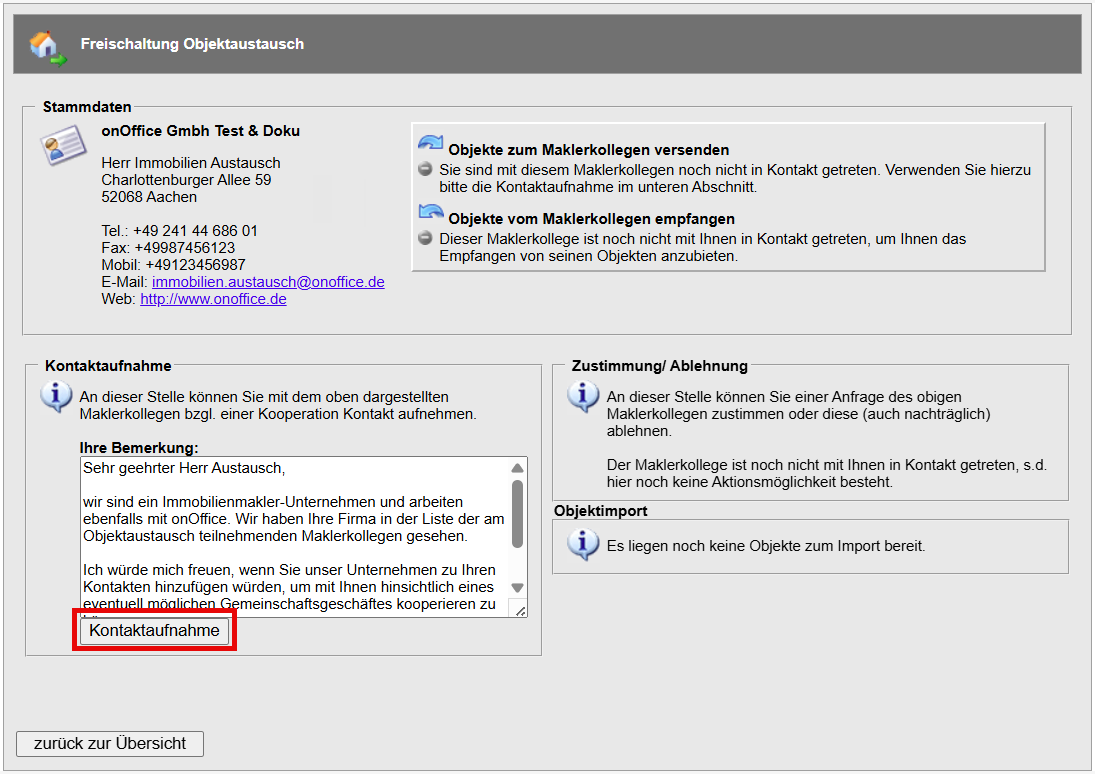
The real estate agent then receives an e-mail requesting consent to the property exchange. At the end of the e-mail, he can agree to the exchange.
After the requests have been confirmed, the respective partners are displayed in the list for both participants.
The mutual consent to the property exchange is displayed in the “Status” column (the left button shows the partner’s consent and the right button shows your own consent). A red symbol indicates that the request has been rejected.

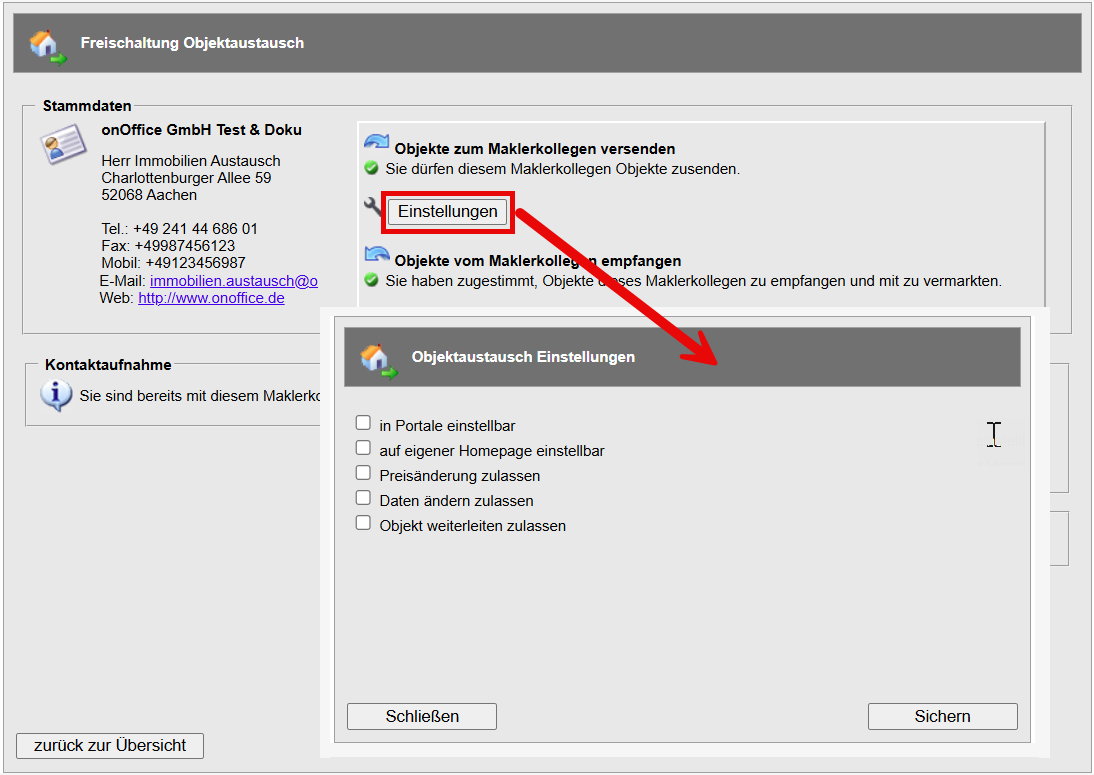
Assign rights
Once the exchange partner has agreed, each participant should determine what rights the new partner should have to the exchanged property. Double-click on the corresponding broker entry in the list to open the detailed view, where you can define the rights under “Settings”.
Exchange properties
Sending a property
To send a property to the desired exchange partner, switch to the “Marketing” tab of the property.
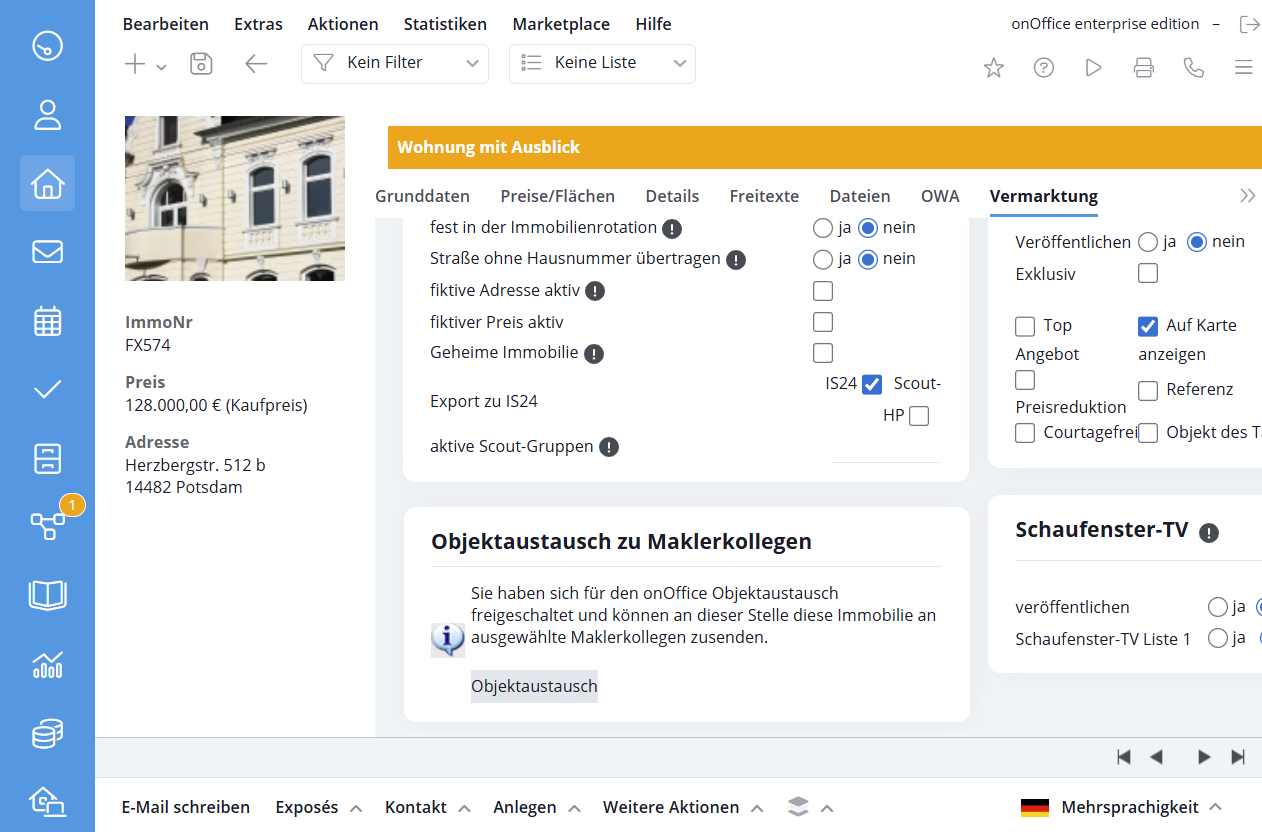
You can send the property to the desired partner in the category “Property exchange to real estate agent colleagues”. Click on the “Property exchange” button to open the list of exchange partners
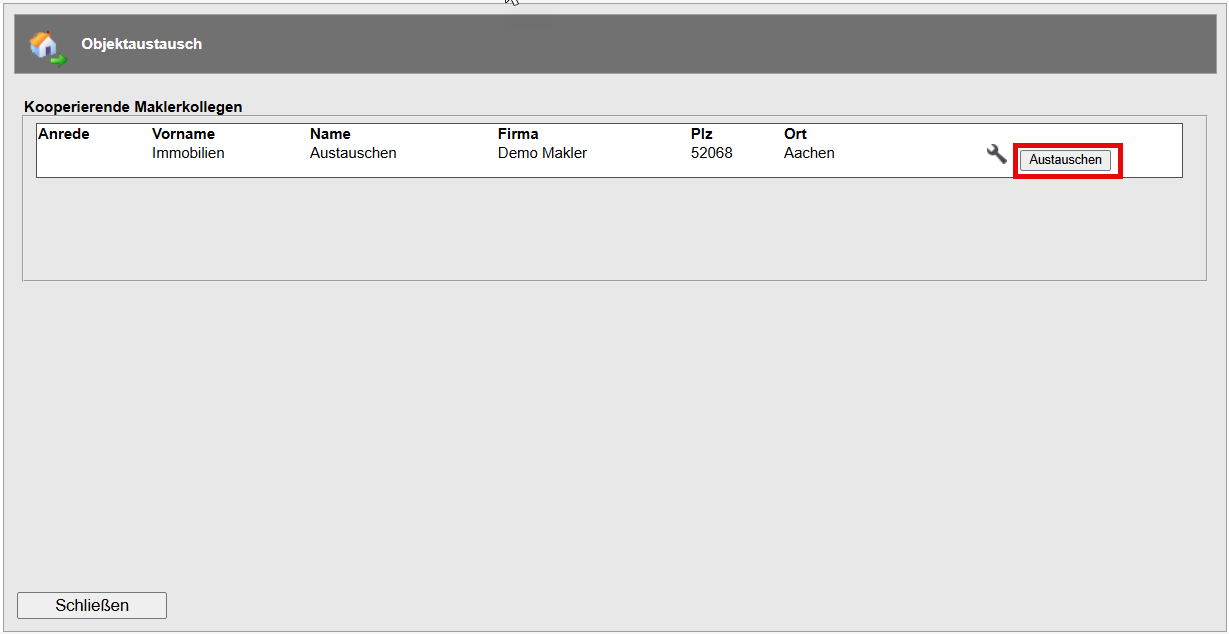
You can always adjust the rights for the exchange using the wrench symbol. Click on the “Exchange” button to start the exchange.
Receive a property
If someone has sent you a property, you will be informed by e-mail. Please then go to the property exchange. In the list view of real estate agents, there is now a house symbol next to the status display.

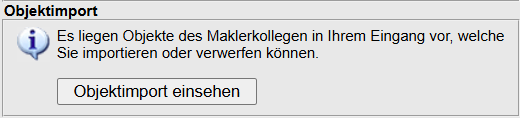
Double-click this entry to access the real estate agent detail view. Select “View property import” there.
In the pop-up window that appears, you will see a list of the properties that have been sent to you. You can use the magnifying glass symbol to view a brochure of the property before adding it to your property portfolio using the blue arrow.
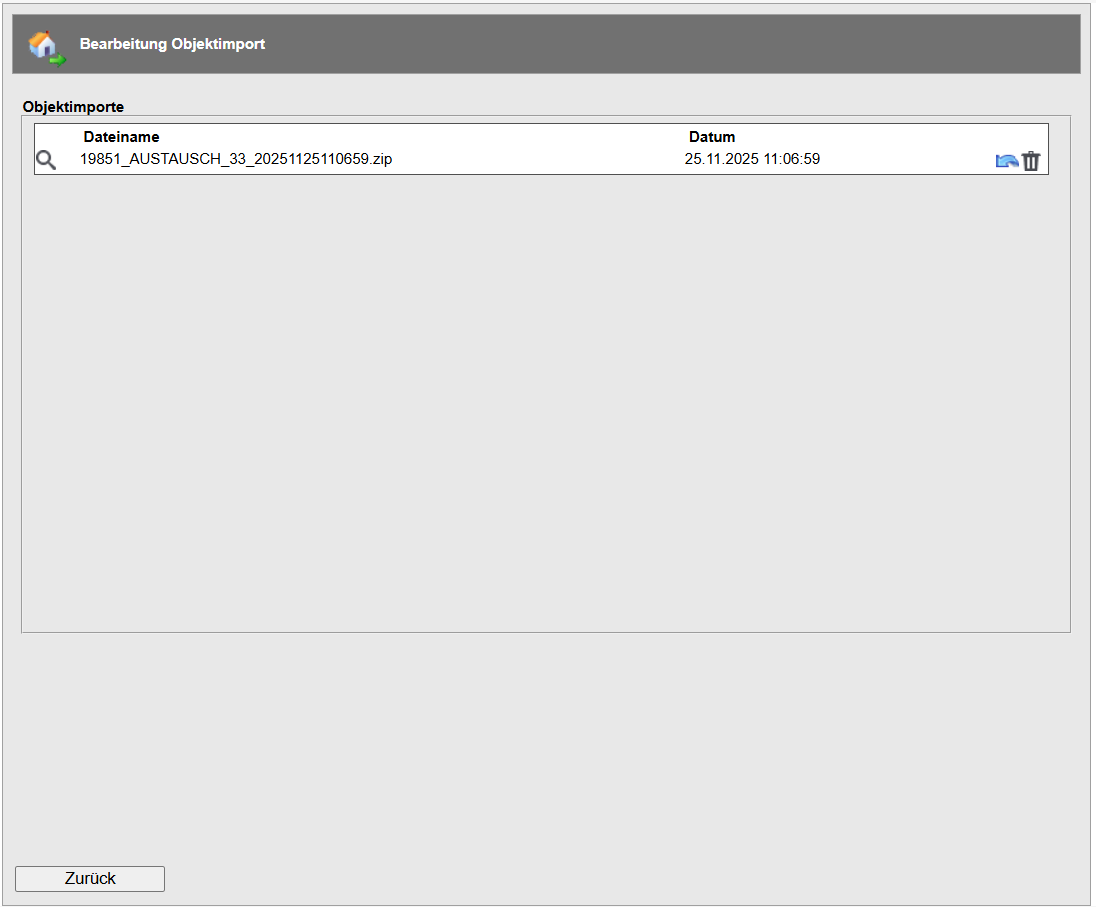
The import will take place within the next 60 minutes.