


You are here: Home / Additional modules / Marketplace / Provider overview / 1000hands AG - grundriss.com

Marketplace

1000hands AG – grundriss.com

Description

Floor Plans, Living Areas, and Surveys

Order professional property documents easily online—expertly reviewed, with personalized support.

grundriss.com is 1000hands AG’s digital ordering platform for floor plans, area calculations, energy performance certificates, and building surveys. Since 2008, we have been supporting property owners, real estate agents, property management companies, and businesses by providing professional materials for the marketing, financing, and documentation of residential and commercial real estate.

Behind grundriss.com is an interdisciplinary team of architectural drafters, architects, civil engineers, surveyors, and technicians. We combine this expertise with efficient digital processes and personalized support. Simply order the services you need online—we’ll handle the processing professionally, review the documents you provide, and ensure, through our final quality control check, that you receive reliable and professionally prepared results.

Activation

You can easily activate grundriss.com here in the Marketplace.

Instruction

With grundriss.com , you can order professional floor plans and living area calculationsdirectly from your property in onOffice. Additional real estate services are available as needed.
Existing property data is carried over into the ordering process. This allows you to start your order quickly and directly from the property in question.

1. Open grundriss.com

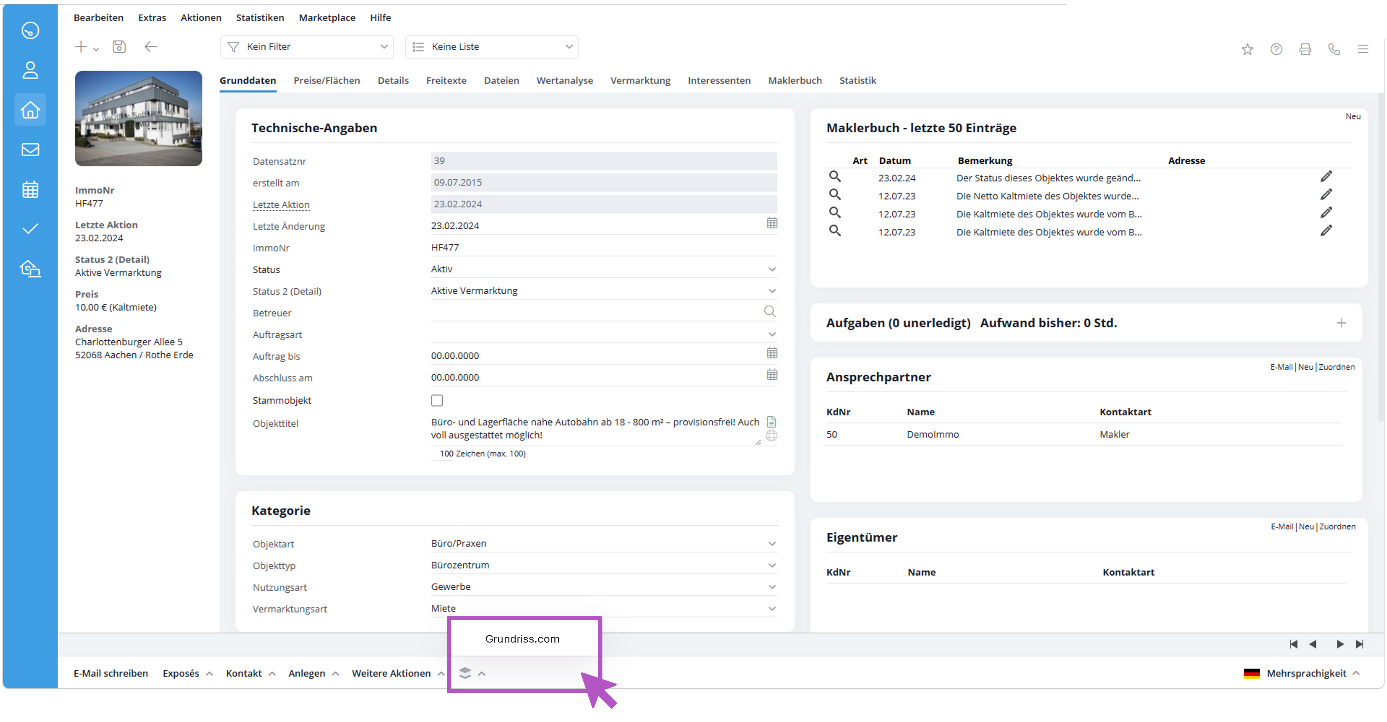
After activation, open the desired property in onOffice and select the grundriss.comservice from the action bar.

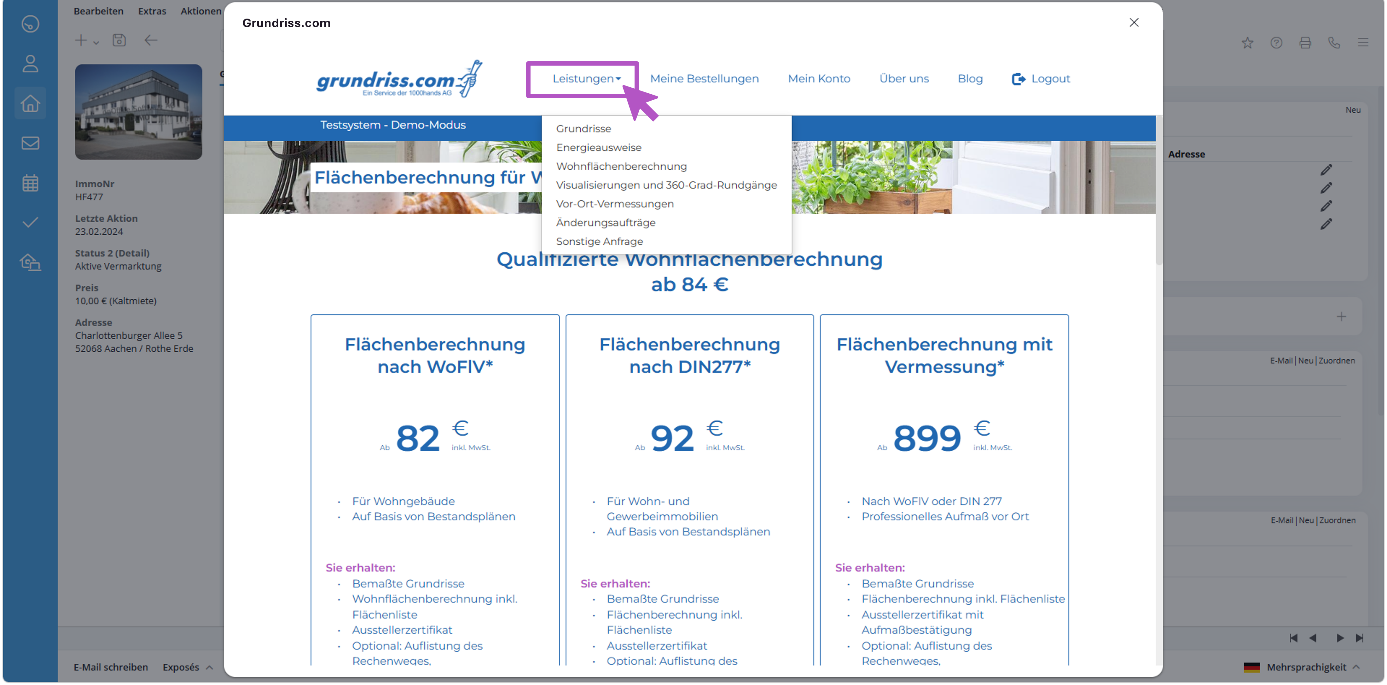
3. Select a service

Select the desired service, for example:

  • Floor plans 
  • Calculation of Living Area 

grundriss.com will then guide you step by step through the ordering process.

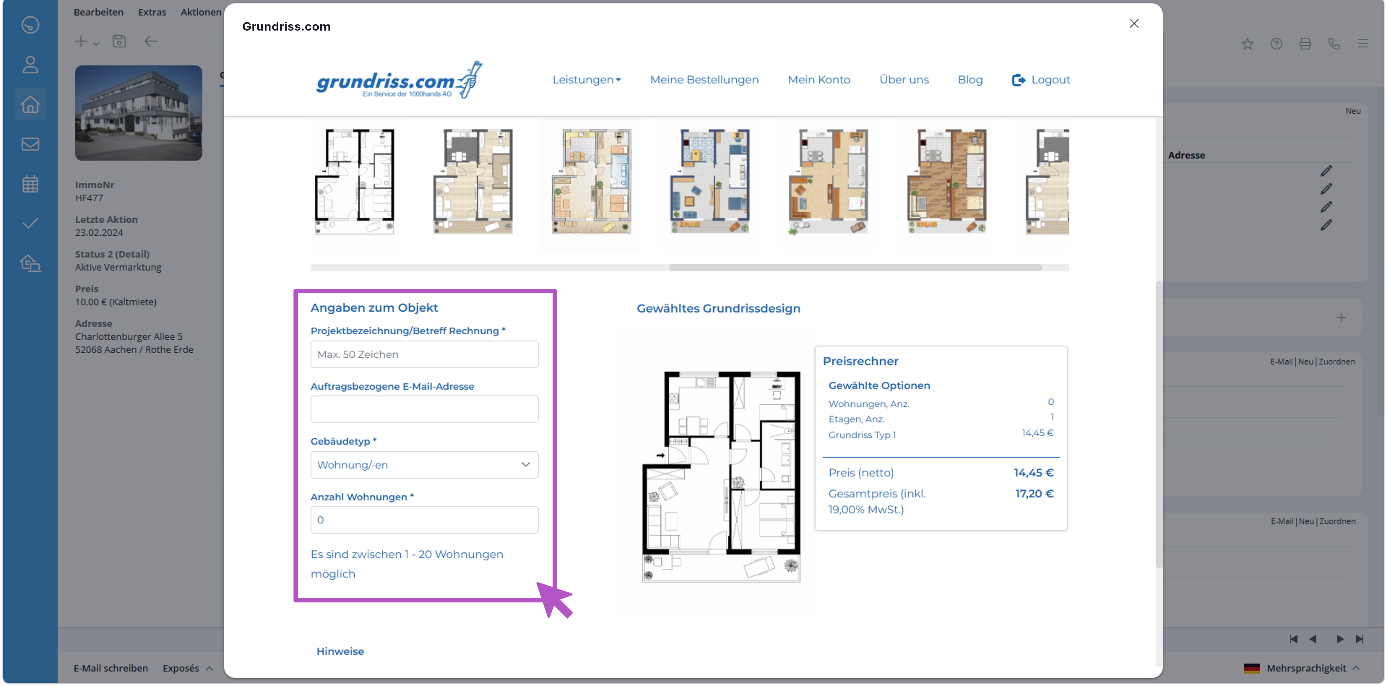
4. Add data and documents

Existing property data is imported from onOffice. Please review the information and add any missing details as needed.

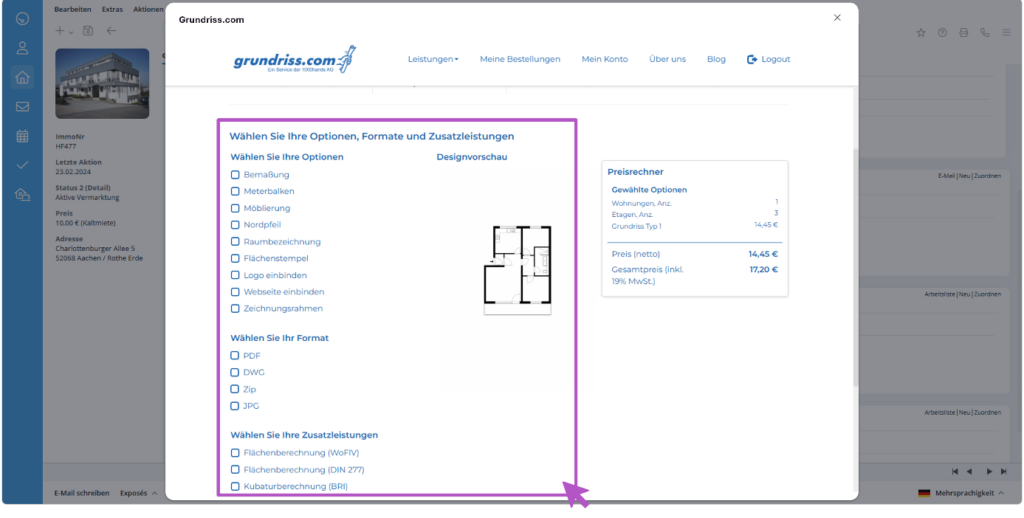
Select the display options and settings you want.

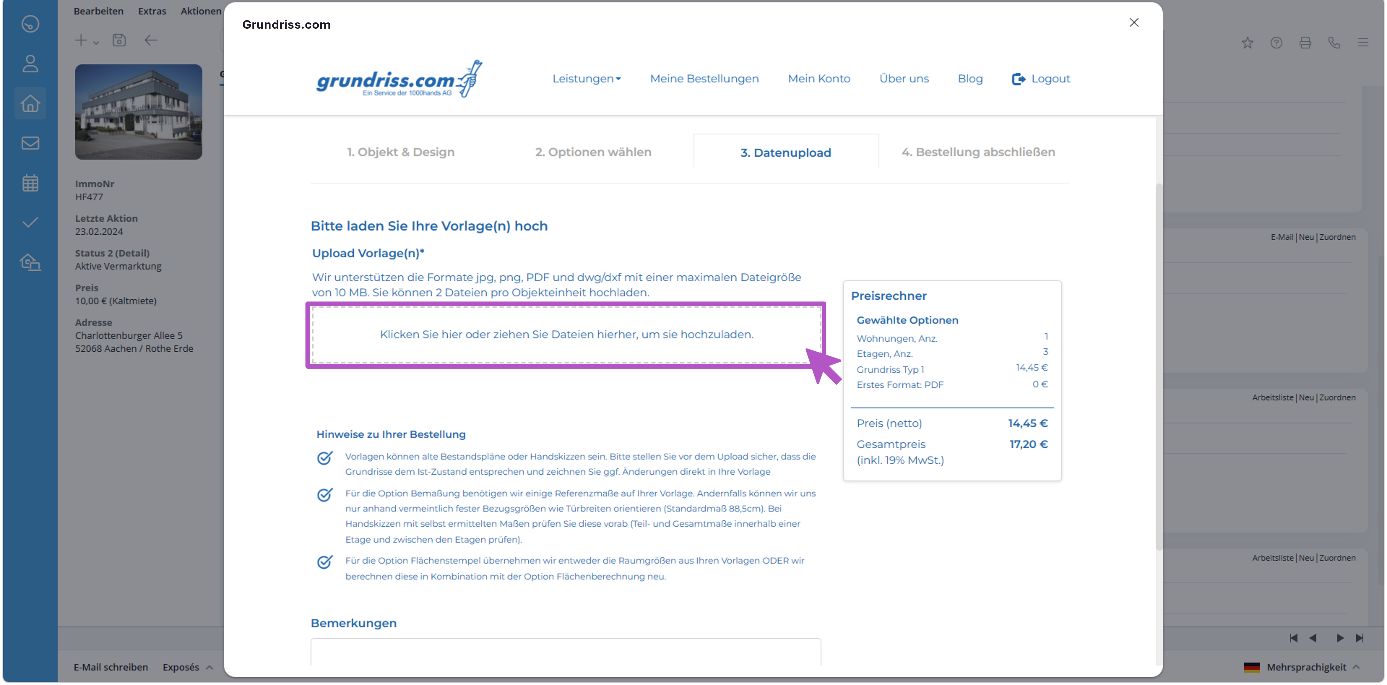
BIld 5

Next, upload the documents required for processing.

5. Complete Order

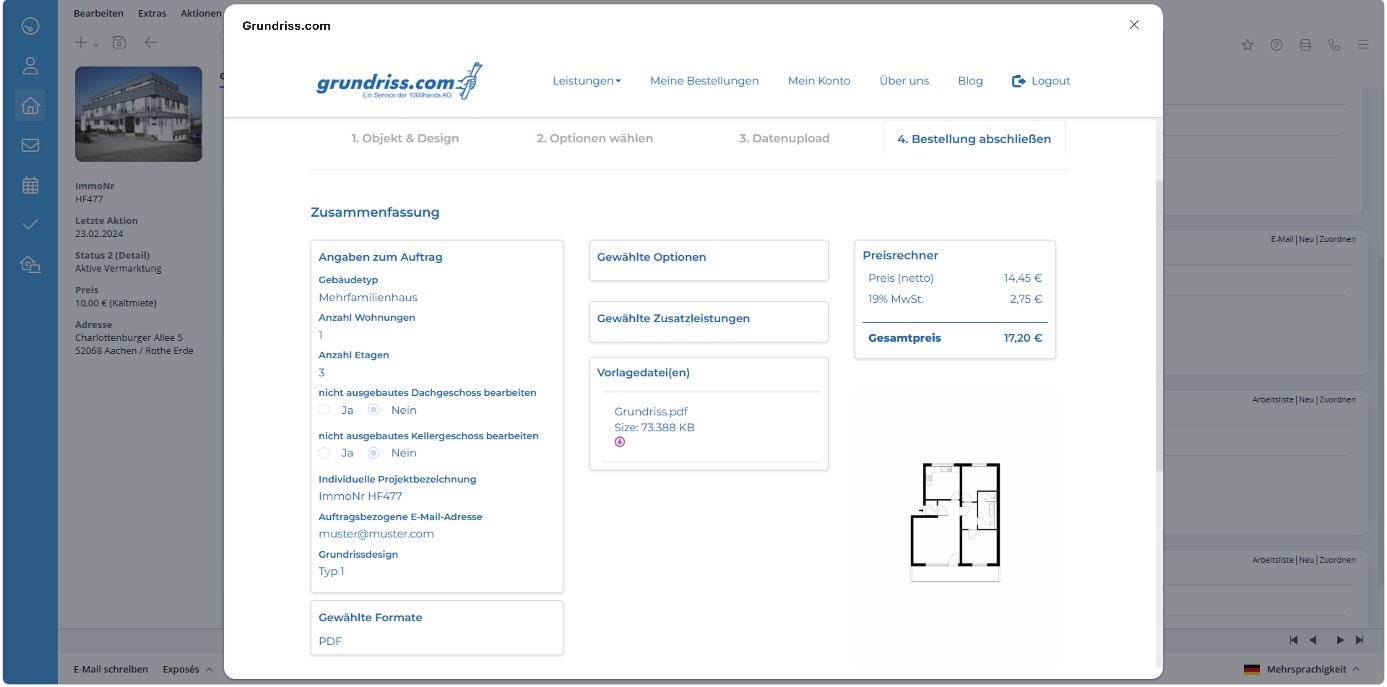
Select the options you want and review your order summary.

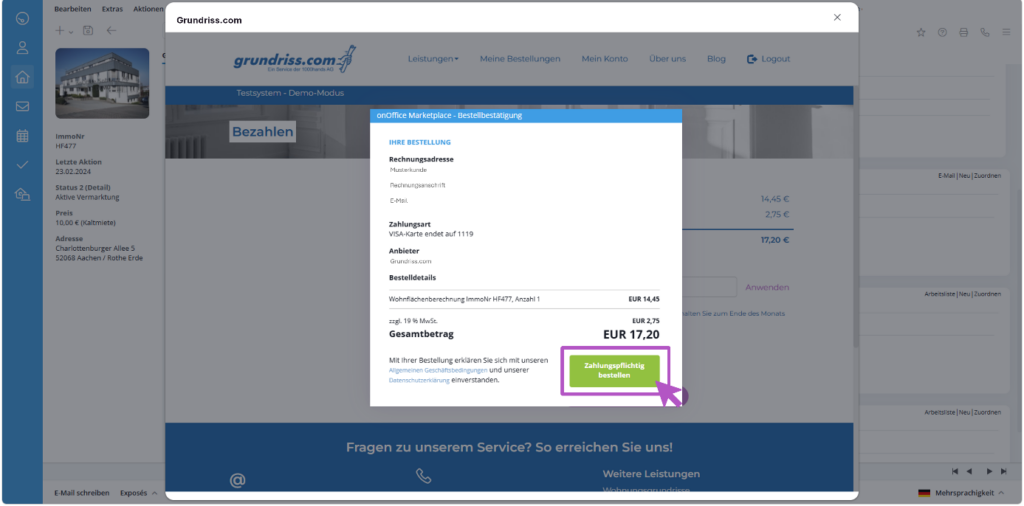
Payment is processed securely via MangoPay, the payment service provider familiar to onOffice users.

BIld 8

You can then complete the order right away.

6. Processing and Inquiries

Once you have completed your order, it will be forwarded to the grundriss.com team.
If any questions arise during processing, the grundriss.com team will contact you directly.

7. Receive the completed documents

Once completed, the requested floor plans and living area calculations for the respective property will be assigned to onOffice and will be available for retrieval there.

Marketplace