 Entry
Entry Dashboard
 Contacts
 Properties
 Email
Email Calendar
 Tasks
Tasks Acquisition Cockpit
 Audit-proof mail archiving
 Automatic brochure dispatch
 Billing
 Groups
 Intranet
 Marketing Box
 Marketplace
 Multi Property module
 Multilingual Module
 onOffice sync
 Presentation PDFs
 Process manager
 Project Management
 Property tracking
 Property value analyses
 Enquiry Manager
 Showcase TV
 Smart site 2.0
 Statistic Tab
 Statistics toolbox
 Success Cockpit
 Time Tracking
 Address from clipboard
 Text block
 Customer communication
 External Tools
 Favorite links
 Calculating with formulas
 Mass update
 onOffice-MLS
 Portals
 Property import
 Quick Access
 Settings
 Templates
 Step by step


You are here: Home / Additional modules / Marketplace / Provider overview / DocEstate - Information from authorities

Marketplace
DocEstate – Information from authorities
What is DocEstate?
DocEstate is your service for digital government information on real estate. Whether you need individual information or practical complete packages – DocEstate helps you to obtain official documents from authorities quickly and easily. For example, you can obtain building files or land register extracts in no time at all. DocEstate takes care of this for you – complicated procedures and tedious paperwork are a thing of the past.
Apply for the documents you need quickly and easily online. DocEstate gives you access to authorities, offices and public administration. Choose from a wide range of individual information or opt for one of our cost-effective packages.
DocEstate handles all communication with the authorities. The service tracks the status of your applications and saves the documents digitally directly in onOffice. The documents are saved in the file tab of the respective property.
Start DocEstate
Before you can use DocEstate, you must activate the service once in the onOffice Marketplace. After activation, you will find DocEstate in each property in the “Authority information”tab.

1. Check your contact details
In order for DocEstate to be able to communicate with you, your contact details are required in the first step. Your email address is taken from onOffice. Please check the details and update them if necessary.

2. Check real estate address
DocEstate requires the exact address of the propertyso that the official information can be assigned correctly. The fields for name, street, house number, postal code and city are automatically taken from the real estate data record. Please check the details and correct them if necessary.
3. Check land register data
DocEstate automatically transfers the land register data of the property from onOffice enterprise. Please check the following details: Land register sheet, district, parcel and plot. This data is crucial for the correct allocation of documents.
If the data is not complete, you can add missing values here. If the property is entered in several land register sheets, you can add further land register sheets. You can also specify additional parcels and parcels.

4. Obtain land register data (optional)
If the land register data is not known, the “Research Service” can be commissioned to determine this for an additional charge. Click on “I do not know this data!” if the data is not available.

5. Select the desired information
Select your desired package or exactly the individual information you need. The costs for the individual packages and individual information can be found in the price list in the service. You can change your selection at any time in the shopping cart before you complete your order.

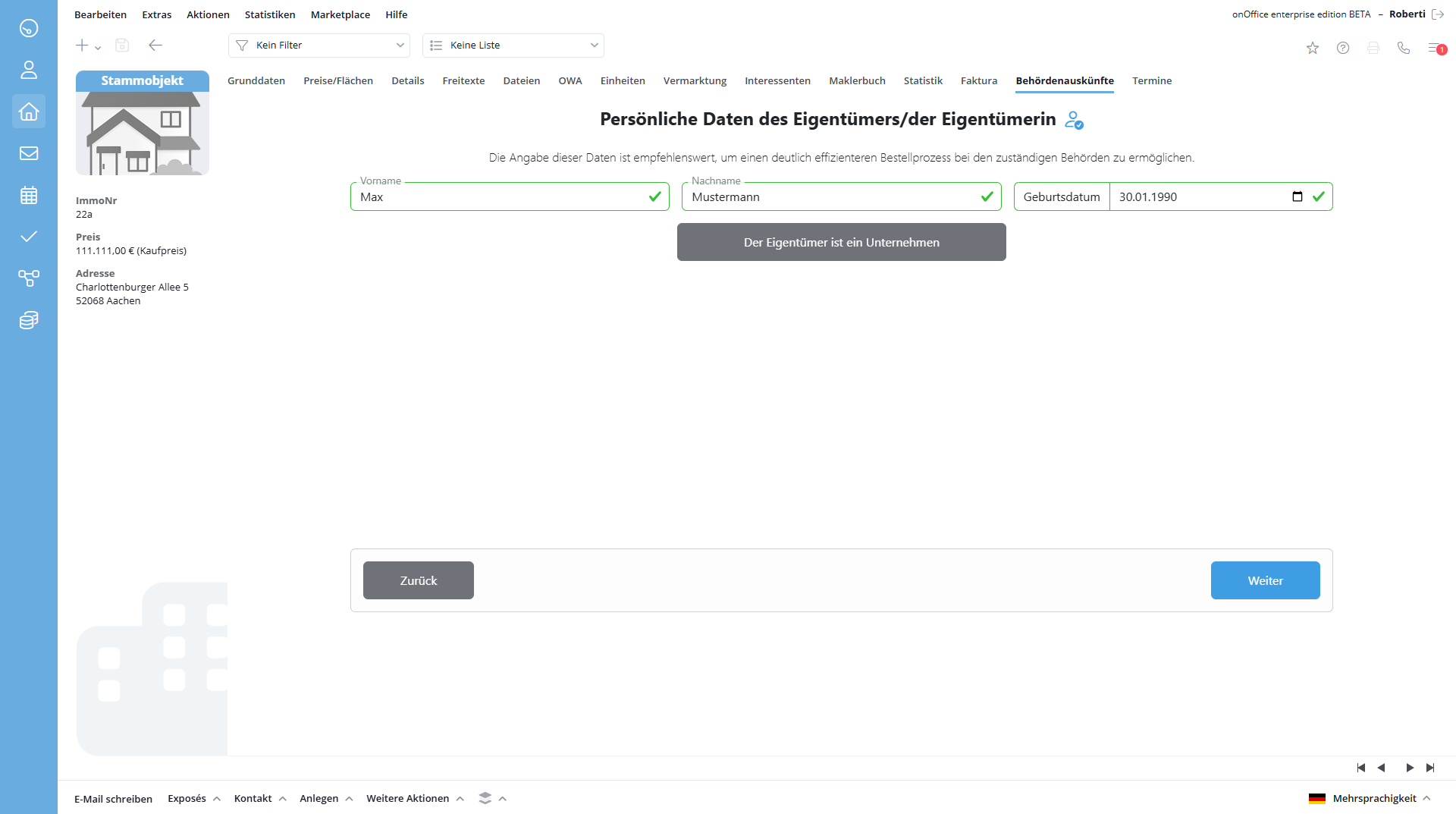
6. Complete owner data
The owner data is automatically transferred from the linked contact to onOffice enterprise. If information is missing or needs to be updated, you can add or correct it here.
Complete and correct owner data significantly speeds up the processing of your request by the authorities. It is therefore recommended that the owner data be provided in full.
7. Upload power of attorney
DocEstate requires a power of attorney from the ownerto request information from the authorities. Upload the corresponding power of attorney here.
There are two types of powers of attorney:
- Direct power of attorney: The owner authorizes you directly to apply for the documents. This is the easiest and quickest way.
- Chain of authorization: The chain of authority exists if the owner has authorized a third party (e.g. a property management company) and this third party in turn authorizes you. In this case, processing may take a little longer.
Tip: To speed up the process, we recommend using a direct power of attorney from the owner if possible.

8. Complete order (initial order)
On the final page you will find a detailed overview of your order. Please check all details carefully before placing a binding order for information. Please note that in addition to the costs listed here, fees for official expenses will be charged in a separate invoice. DocEstate initially disburses these processing fees (the amount of which cannot be predicted in advance) for you in order to make the processing process as simple and efficient as possible in cooperation with the responsible authorities.

9. Order (subsequent official expenses)
The fees charged by the authorities for processing the respective information are first interpreted by DocEstate as soon as the amount of the processing fees has been determined. You will then be invoiced for these via onOffice on behalf of DocEstate. You will receive a separate invoice for the costs incurred and are obliged to pay the amount shown immediately upon receipt of the notification.
10. Receive documents
As soon as the information is provided by the authority, it can be accessed via the file tab of the property concerned. The processing time for applications varies from region to region and can take from a few days to a few weeks.
Try DocEstate now, save a lot of time and simplify your communication with authorities with just a few clicks!
11. Support
If you have any questions or problems, you can contact DocEstate support at anfragen@docestate.com