 Entry
Entry Dashboard
 Contacts
 Properties
 Email
Email Calendar
 Tasks
Tasks Acquisition Cockpit
 Audit-proof mail archiving
 Automatic brochure dispatch
 Billing
 Groups
 Intranet
 Marketing Box
 Marketplace
 Multi Property module
 Multilingual Module
 onOffice sync
 Presentation PDFs
 Process manager
 Project Management
 Property tracking
 Property value analyses
 Enquiry Manager
 Showcase TV
 Smart site 2.0
 Statistic Tab
 Statistics toolbox
 Success Cockpit
 Time Tracking
 Address from clipboard
 Text block
 Customer communication
 External Tools
 Favorite links
 Calculating with formulas
 Mass update
 onOffice-MLS
 Portals
 Property import
 Quick Access
 Settings
 Templates
 Step by step


You are here: Home / Additional modules / Marketplace / Provider overview / vreed GmbH - Redevelopment planner

Marketplace
vreed GmbH – Redevelopment planner
With vreed.INSIGHT, you can record your properties, assess their current condition and calculate refurbishment measures and potential in just a few minutes – completely digitally, quickly and without unnecessary paperwork. The application is designed to guide you step by step through the process and process all relevant data automatically.
This is how it works:
1. Open service
Call up the vreed.INSIGHT renovation planner from a property’s action bar.

2. Create property
The existing data for the property is imported directly from onOffice and made available to you. Missing information is queried in a short and clearly explained query section and added to the system.
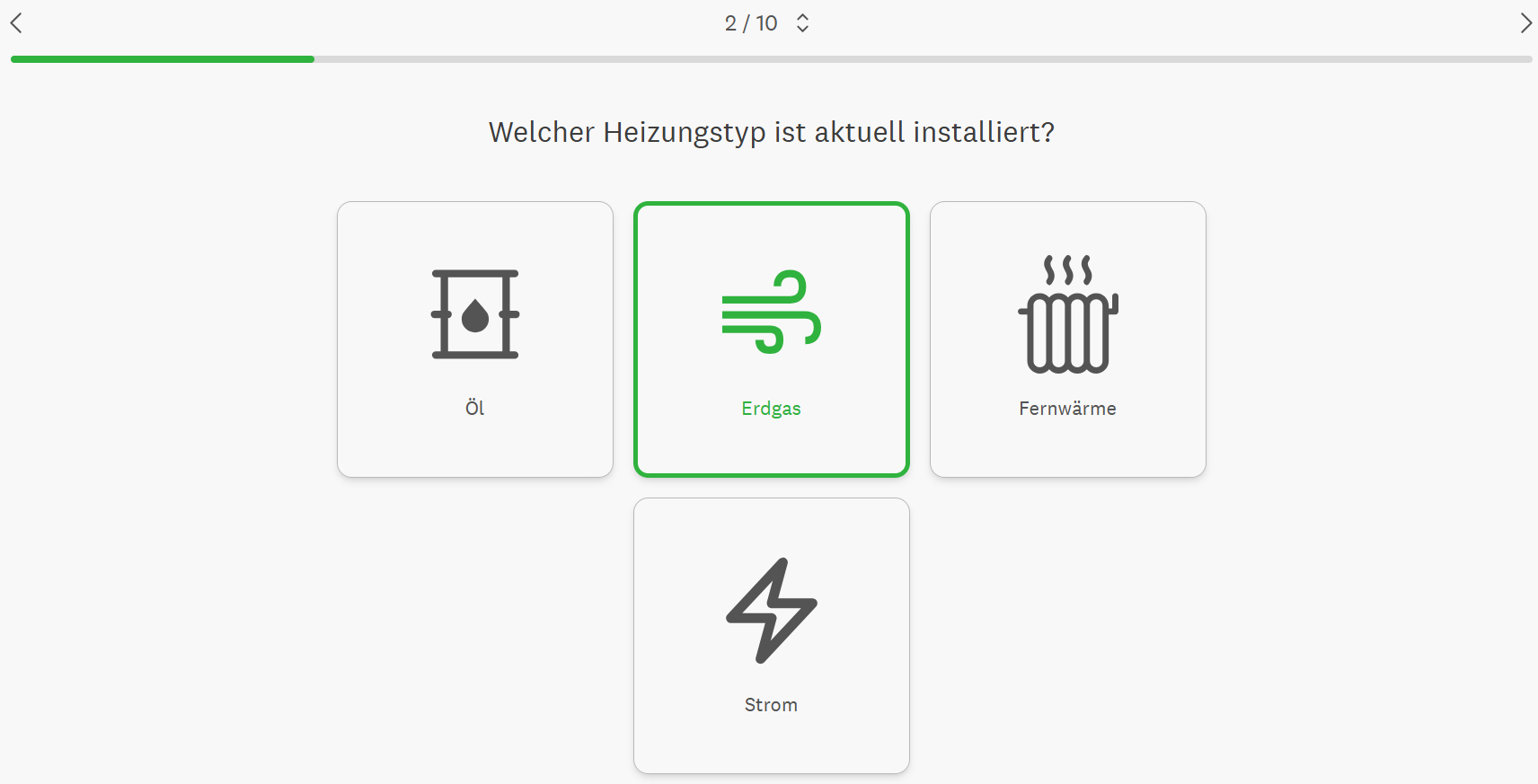
All structurally relevant property data such as building volumes, roof areas, façade areas, etc. are calculated and provided on the basis of the vreed property database.
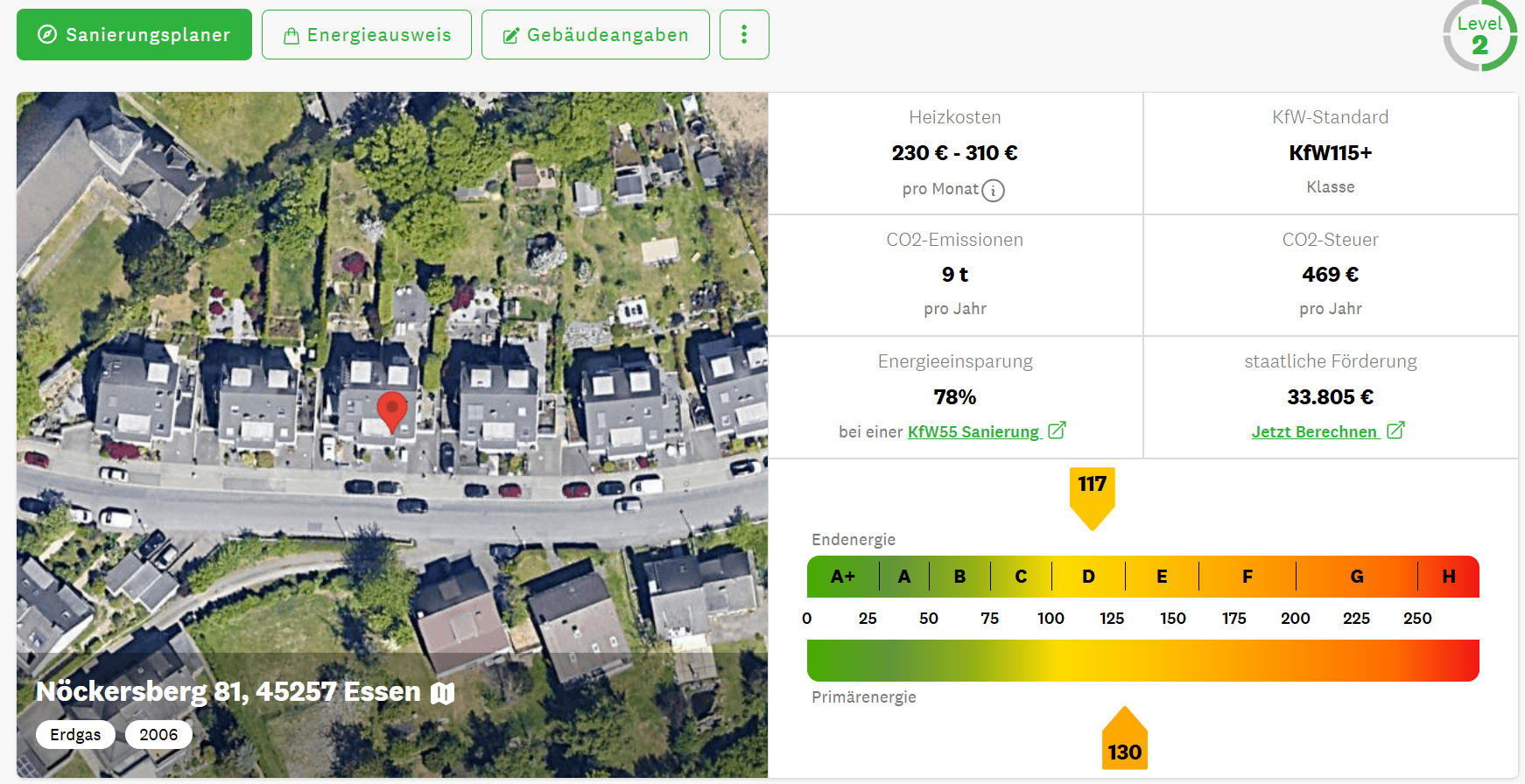
2. Current energy status of the property
The energy status of the property is analyzed and evaluated in accordance with DIN V 18599 on the basis of the data entered and calculated. In addition to the current energy efficiency class of the property, final and primary energy requirements, CO2 emissions, energy costs and much more are displayed. All results and interim results are presented transparently.
3. Refurbishment planning
The vreed.INSIGHT refurbishment planner forms the heart of the application. In addition to energy-related refurbishment measures, non-energy-related measures can also be selected and evaluated. You have the opportunity to plan renovation measures yourself, but you can also analyze and evaluate suggestions and recommendations from the system.
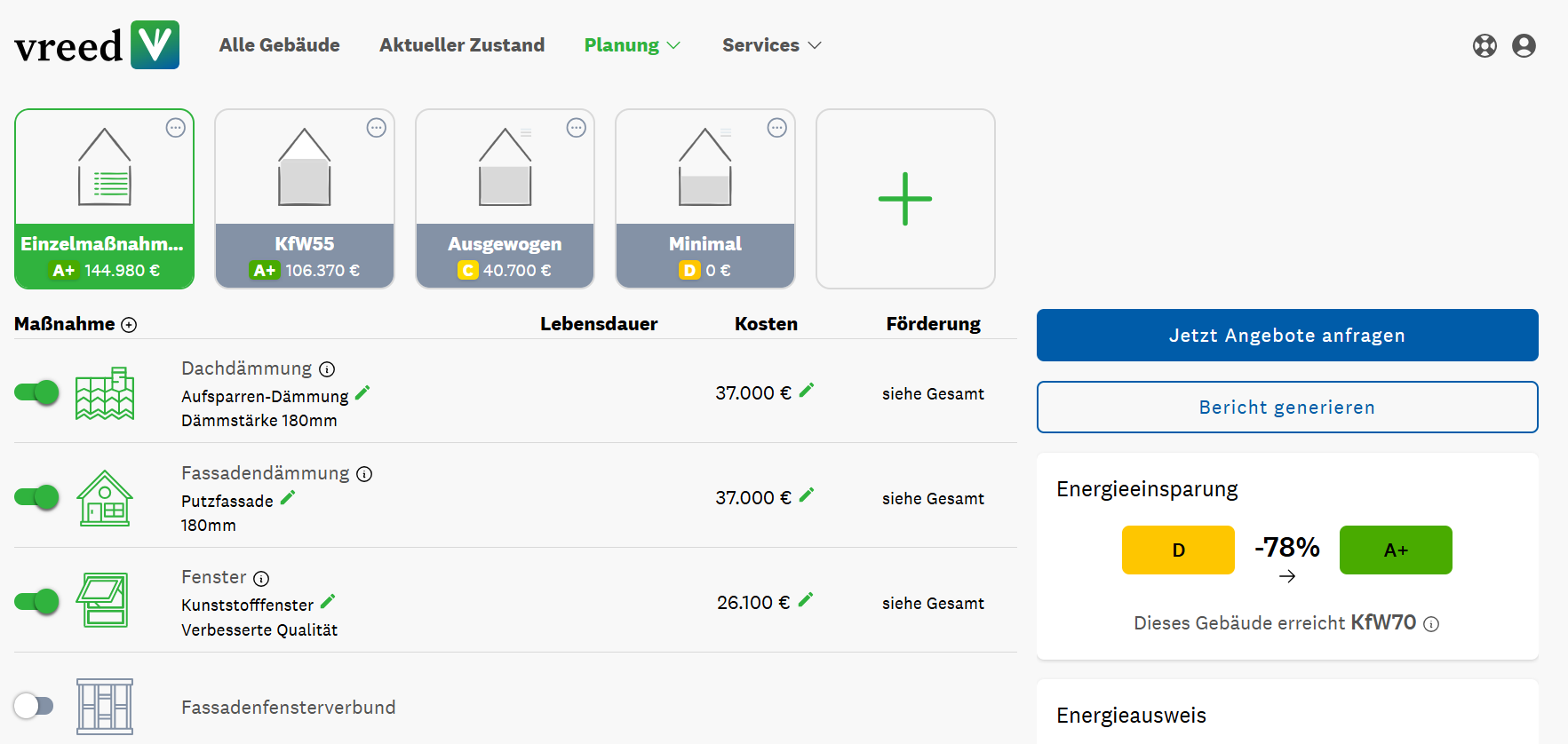
All results are calculated and displayed in real time.
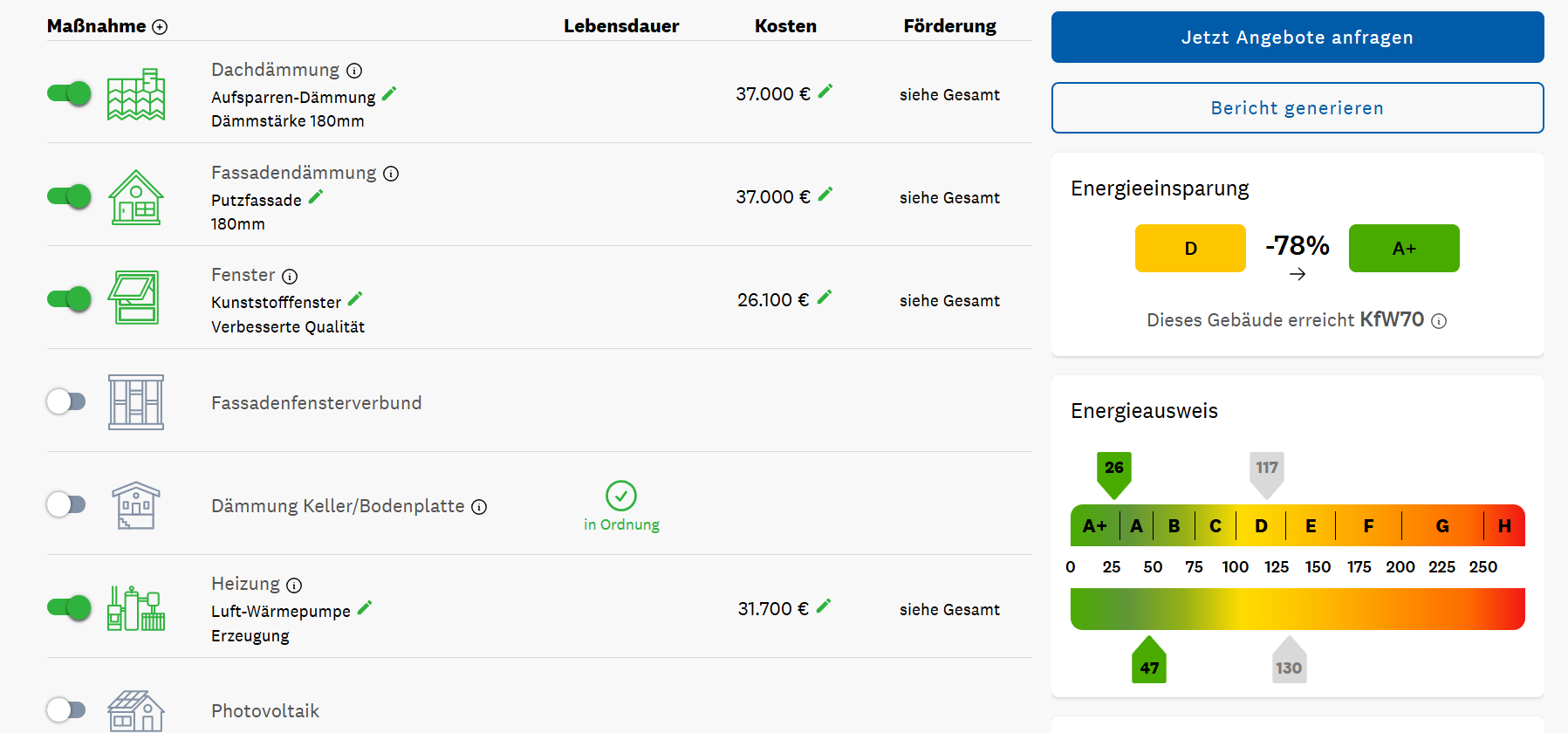
In addition to the potential savings, the improvements in final and primary energy requirements are also presented. You will also receive a detailed overview of the reduction in heating costs and CO2 emissions.
The planned refurbishment costs are shown including possible subsidies, ancillary building costs and, if applicable, the purchase price of the property.
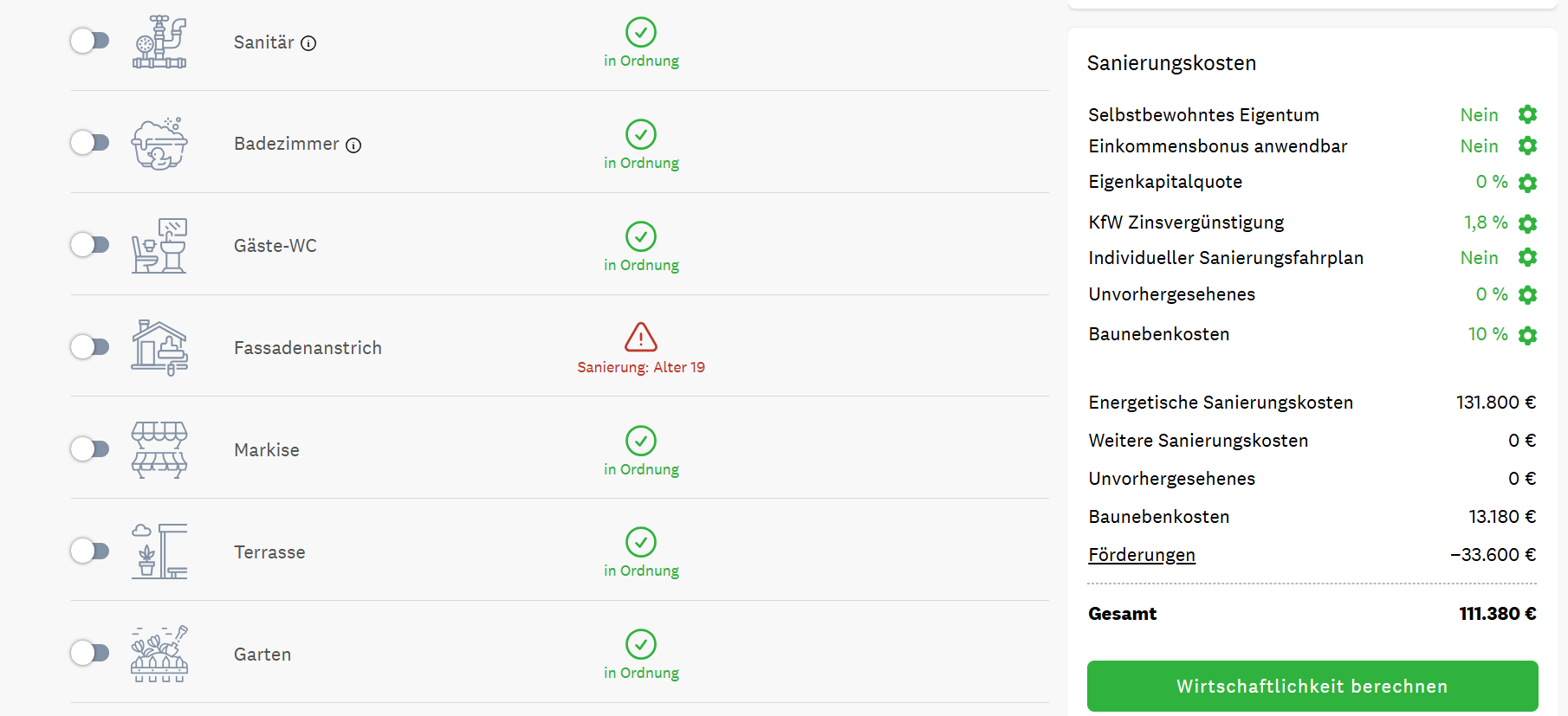
Individual adjustments of component qualities or the input of existing offer prices extend the functionality.
In the overview you have the possibility to compare different refurbishment scenarios and thus find the optimal refurbishment.
4. Calculation of profitability
The calculation of profitability is based on the existing data and is supplemented by additional entries. You have the option of selecting different interest rates, observation periods and repayment installments.
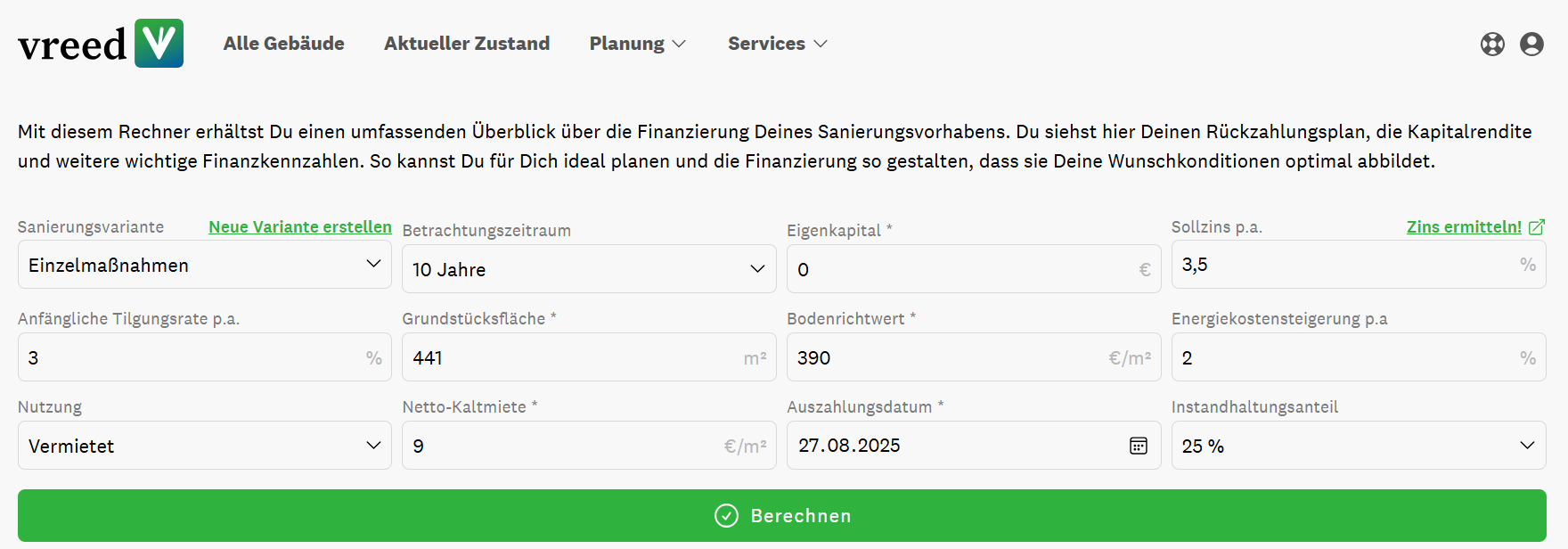
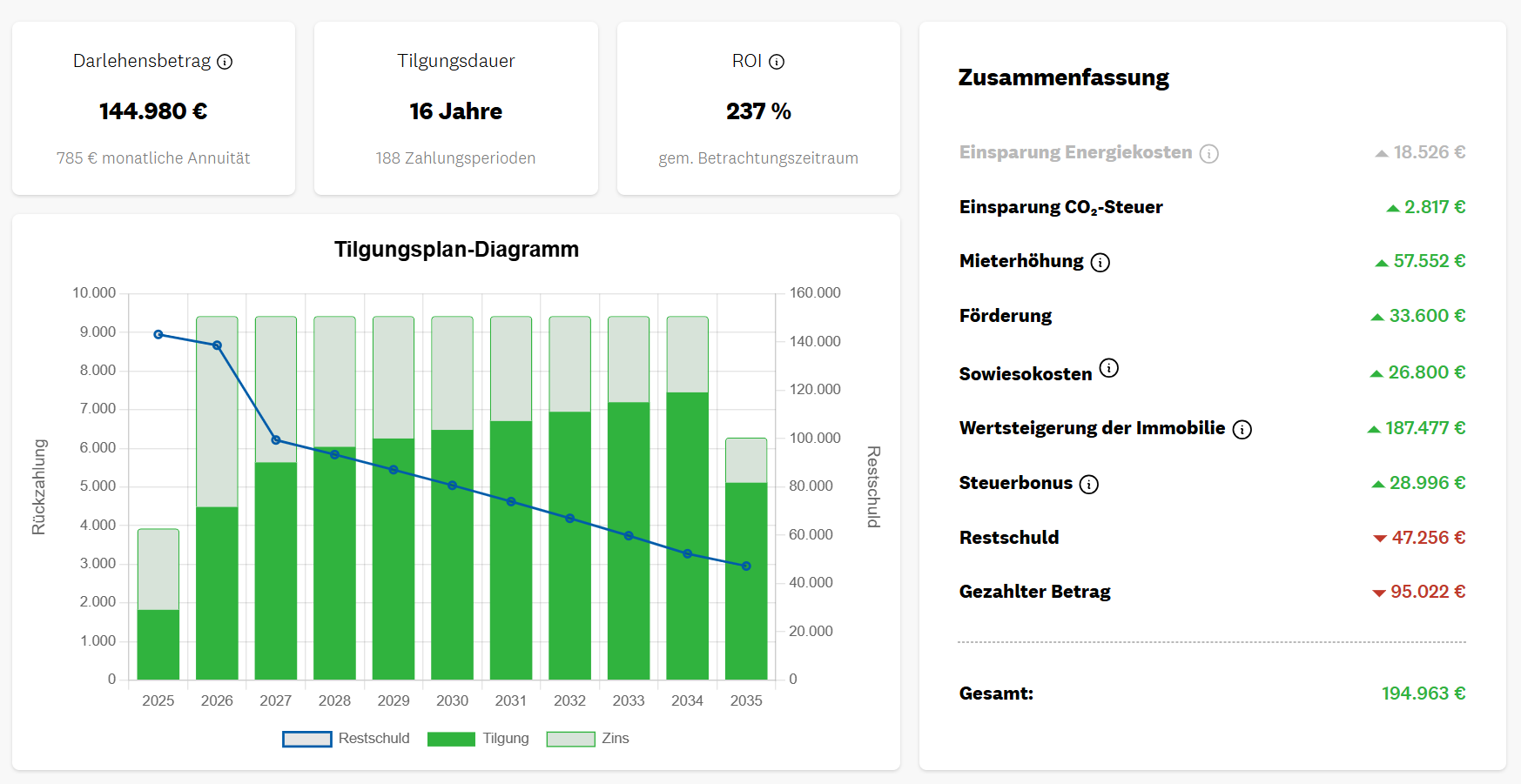
The calculation creates a detailed repayment plan including annuities, repayment period and ROI calculation.
In the summary, the individual costs and savings are clearly summarized. Different scenarios can also be evaluated and analyzed here.
5. Valuation in accordance with the ImmoWertV
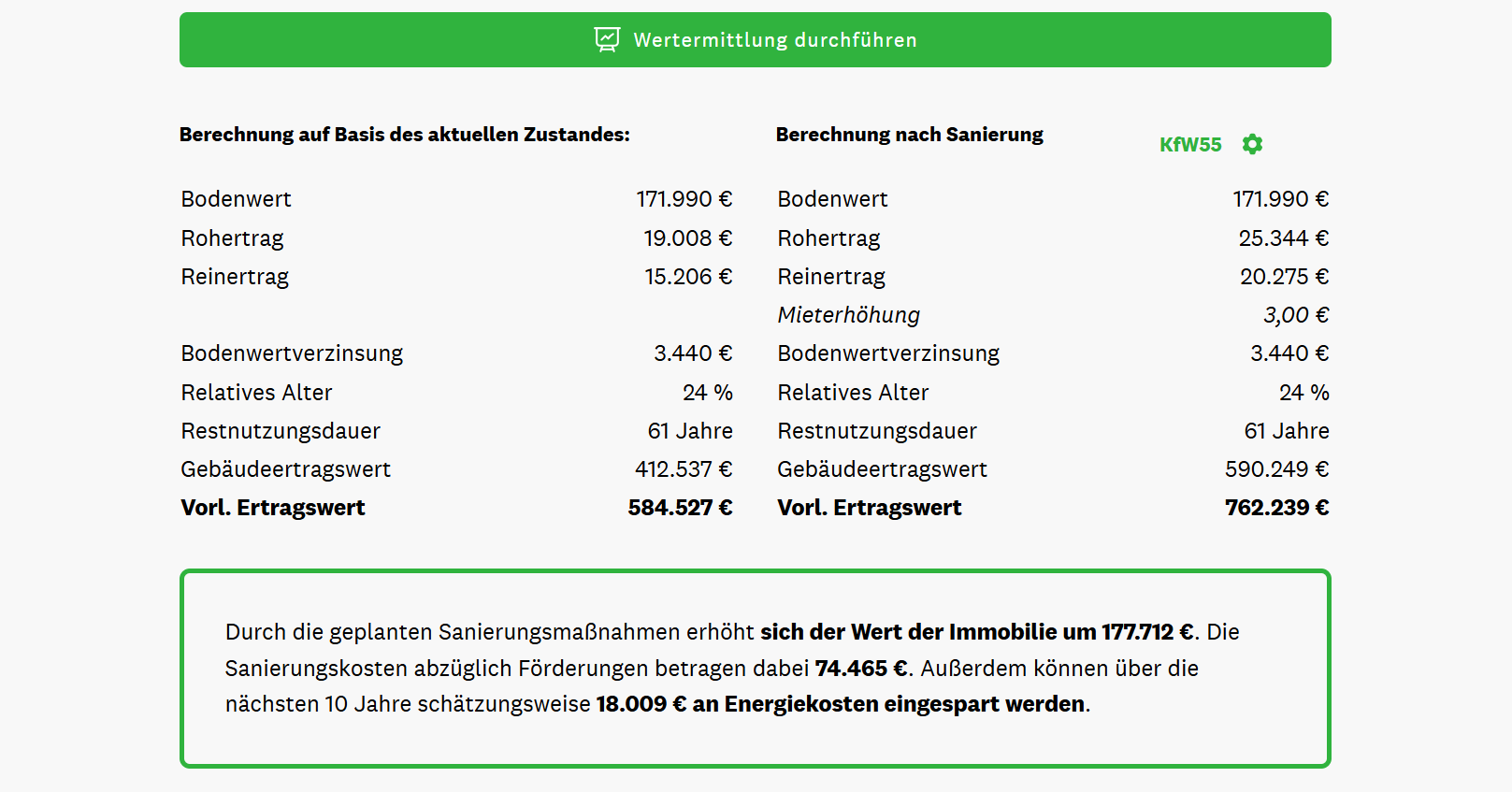
In accordance with the ImmoWertV, the comparative value method, the income capitalization method and the asset value method or several of these methods must be used to determine the market value.
A separate interface and suitable input options are available for all three valuation methods.
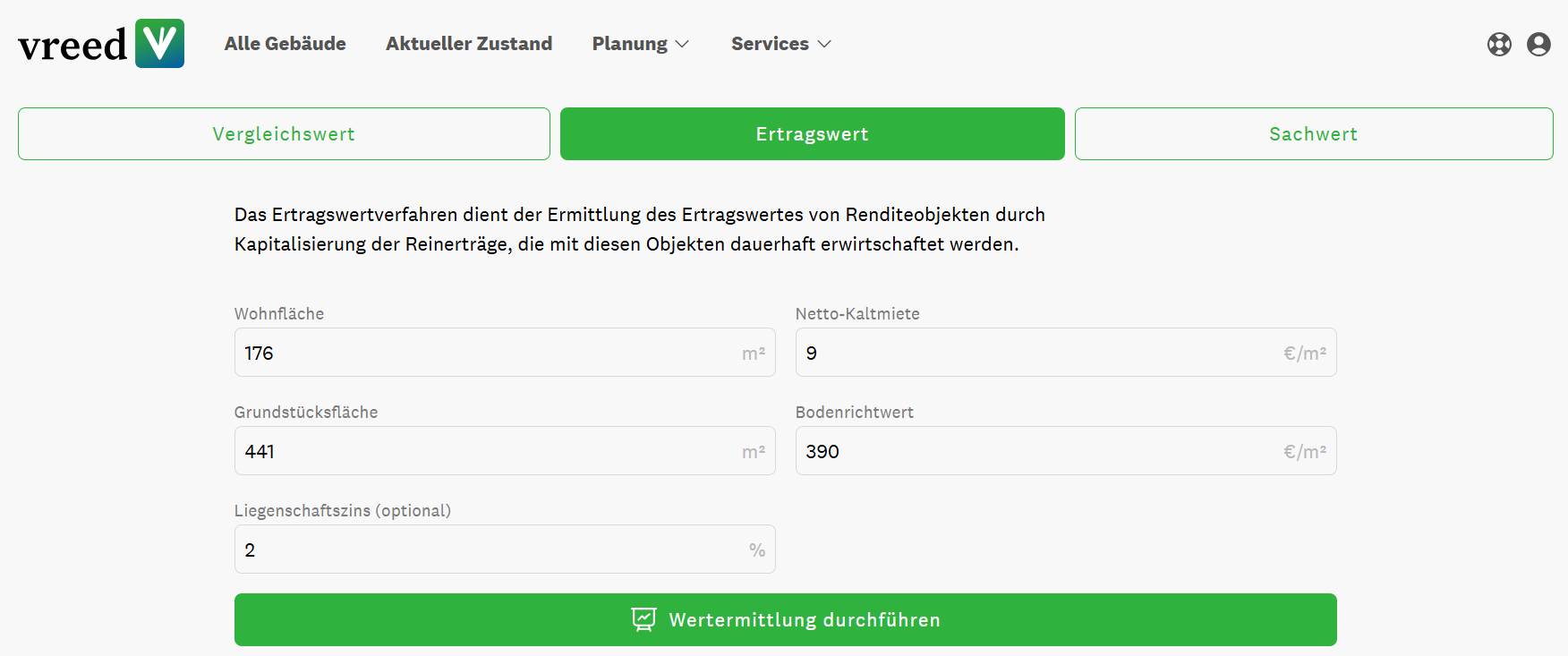
All calculations are based on current standards and legislation.
6. Create reports
In the area of renovation planning, you can generate the vreed property report. The comprehensive PDF document contains all the information about the property, the plot, the current energy status and the planned refurbishment measures, including costs, subsidies and a detailed description of the measures.
7. Sharing property data
Property data can be shared easily and smartly with other parties. You can simply enter the e-mail address and the role and the addressee will receive a link in real time and thus access to the existing property data in vreed.INSIGHT. The sharing of data can be undone at any time.